Best Ergonomic Keyboards Compared on Maker Specs (2026)
A curved split, a wave and a fully separated split keyboard, compared on published specs. We have not tested these keyboards.
We may earn a commission when you buy through links on this page, at no extra cost to you. This does not change which products we cover. How we make money.
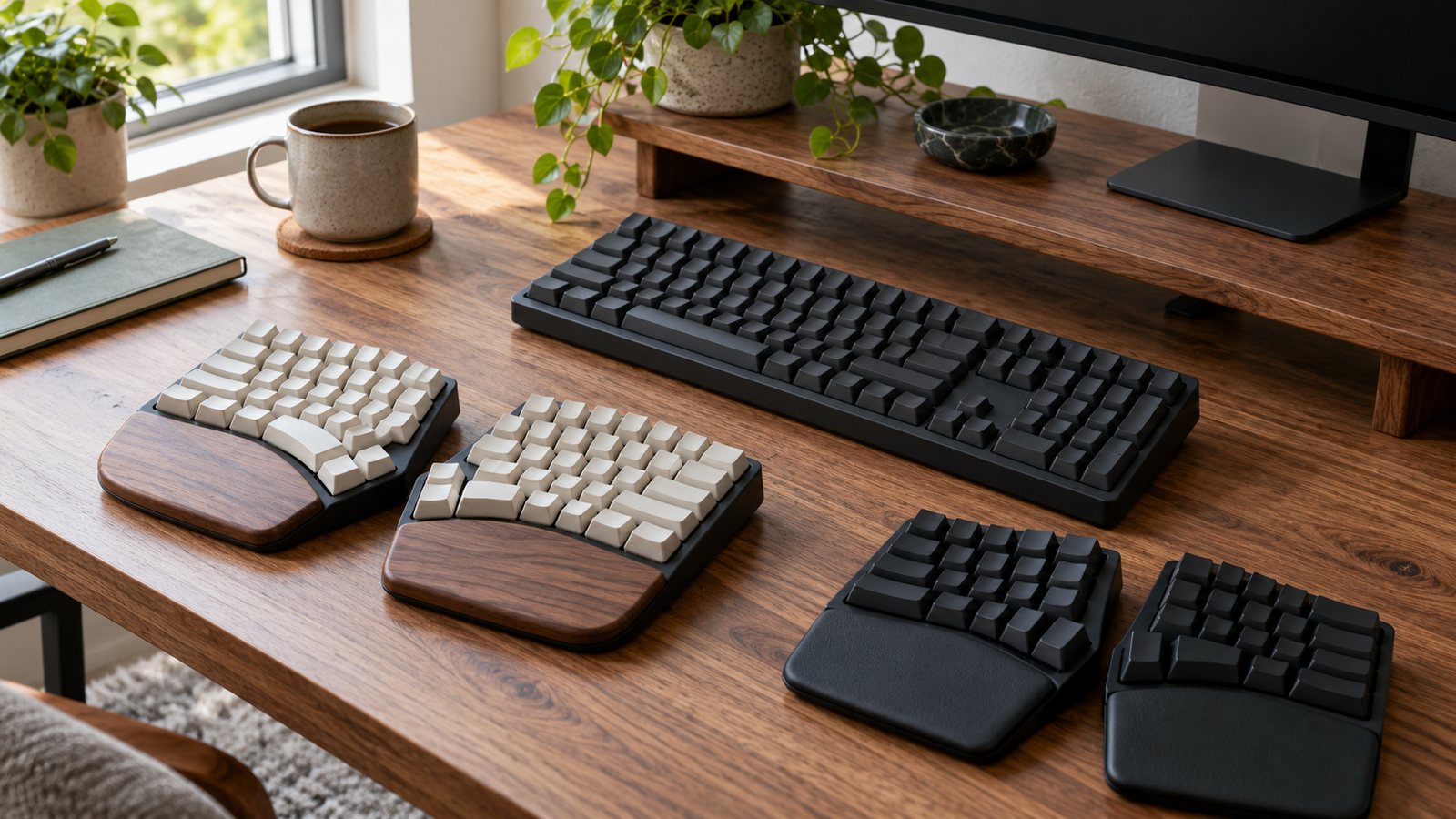
An ergonomic keyboard aims to keep your wrists straight instead of bent outward. The Logitech ERGO K860 is the pick for most people: a curved split in one piece, with a number pad. Logitech Wave Keys is the gentlest change from a flat keyboard. The Kinesis Freestyle2 is for people who want the halves apart.
Quick picks
- Best for most peopleERGO K860Check price
- Easiest switchWave KeysCheck price
- Best full splitFreestyle2Check price
Side-by-side specs
| Spec | Top pickLogitechERGO K860 | Easiest switchLogitechWave Keys | Full splitKinesisFreestyle2 |
|---|---|---|---|
| Best for | A full-size curved split layout with number pad | An easy first step from a flat keyboard | Fully separated halves |
| Layout | Curved split, one piece, number pad | Wave curve, one piece, number pad | Two separate halves, no number pad |
| Adjustable split | No | No | Up to 9 in, or 20 in on the -20 model |
| Connection | Bluetooth LE or USB receiver, 3 devices | Bluetooth LE or Logi Bolt, up to 10 m | Wired USB (PC version) |
| Power | 2 AAA, up to 24 months | 2 AAA, up to 36 months | USB |
| Price | Check price | Check price | Check price |
Specs from each manufacturer's US product page. Bars compare each spec against the best value in this table; they are not test scores. Prices change often, so we link out instead of quoting them.
The picks
★Best for most people
LogitechERGO K860
Best for: A full-size curved split layout with number pad
A one-piece split, curved keyboard with 109 keys, a palm lift and two AAA batteries rated up to 24 months.
What we like
- Number pad included
- Pairs with 3 devices
- Long battery rating
Watch out for
- Halves do not separate
- Large footprint
Logitech lists 109 keys in a curved split layout, a number pad, Bluetooth LE or a USB receiver, and pairing with up to three computers. Two AAA cells are rated up to 24 months. It measures 456 x 233 x 48 mm and weighs 1,160 g, so leave room for it.
★Easiest switch
LogitechWave Keys
Best for: An easy first step from a flat keyboard
A compact wave-shaped keyboard with a cushioned three-layer memory foam palm rest and up to 36 months on two AAA cells.
What we like
- Least change from a standard layout
- Longest battery rating here
- Built-in palm rest
Watch out for
- Not a true split
- Less wrist angle change than a split
Wave Keys keeps a standard key arrangement on a wave curve with a three-layer memory foam palm rest. Logitech rates two AAA cells at up to 36 months and lists Bluetooth LE or the Logi Bolt receiver, with a range of up to 10 m. It changes your wrist angle less than a split, which also means less to relearn.
★Best full split
KinesisFreestyle2
Best for: Fully separated halves
A two-piece keyboard whose halves separate up to 9 in, or up to 20 in on the KB800PB-xx-20 model.
What we like
- Halves split to shoulder width
- Pivot tether for an A shape
- No batteries
Watch out for
- No number pad
- Kinesis says the A shape cuts the benefit of full separation
The Freestyle2’s two halves separate up to 9 in, or up to 20 in on the -20 model, so you can set each half in line with each shoulder. Kinesis says the pivot tether can hold an A shape, though that reduces the benefit of full separation. The PC version is wired and has no number pad.
How to choose
- Start with your wrists. OSHA says wrists should be straight and in line with the forearms.
- Number pad user? Pick the K860 or Wave Keys.
- Fix the height first. A good keyboard at the wrong height still bends your wrists. See our desk and keyboard height guide.
- Pair it with a mouse. See MX Master 3S vs LIFT.
Frequently asked questions
Do ergonomic keyboards prevent injury?
OSHA says alternative keyboards help keep wrists neutral. Research does not give conclusive evidence that they prevent discomfort or injury.
Which one separates fully?
Only the Kinesis Freestyle2. Its halves separate up to 9 in, or up to 20 in on the KB800PB-xx-20 model.
Which has the longest battery rating?
Logitech rates Wave Keys at up to 36 months on two AAA cells and the K860 at up to 24 months. The wired Freestyle2 needs no batteries.